How AI Brings Your Child Into a Magic Story Book
Follow a photo’s journey into a storybook character, explore the preview, and choose a personalized adventure to share with your child.


In this article
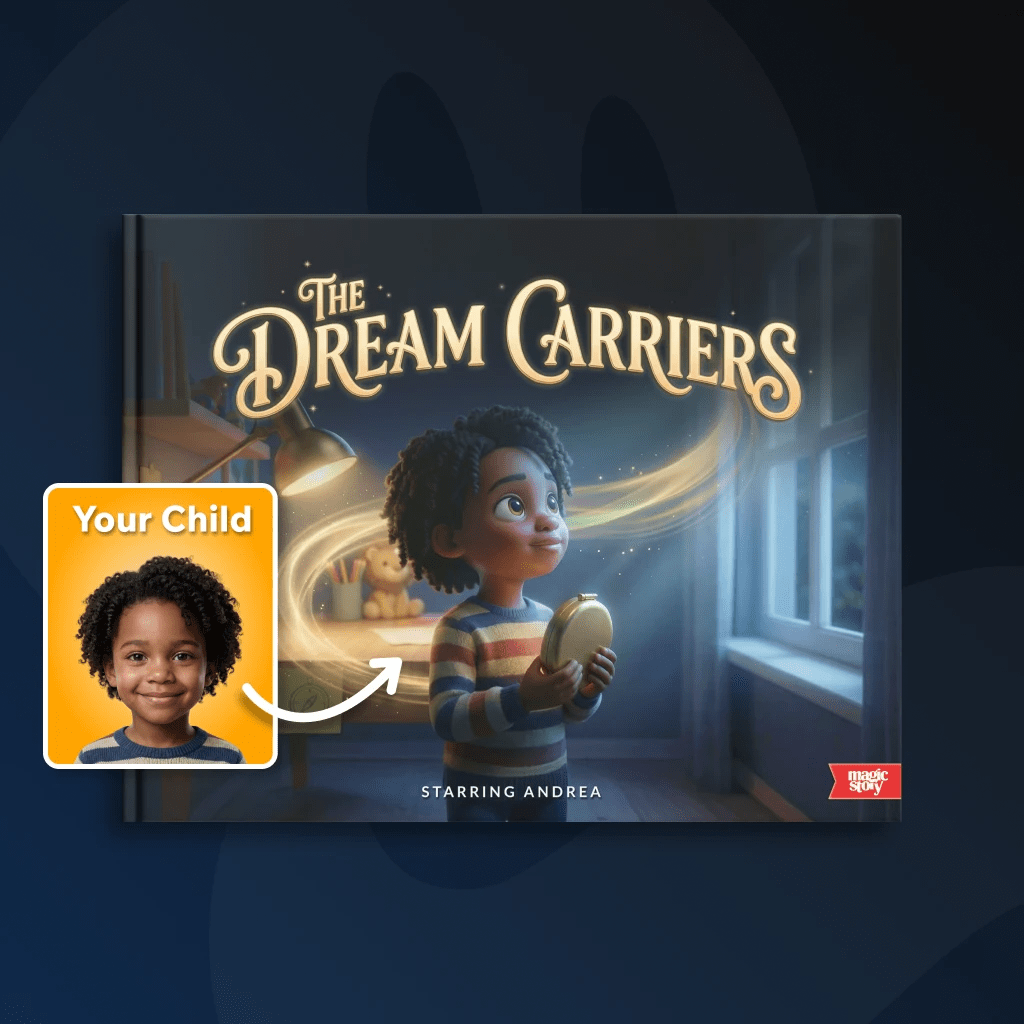
A personalized book starts with an ordinary choice: which story would this child enjoy? The technology comes next. Magic Story uses a photo to create an illustrated character who can appear in the book you select.
For a parent or grandparent, the useful questions are concrete. Does the character look right? What parts of the story can you change? What can you see before paying? What information are you providing? Here is how to approach those decisions. For the whole journey from photo to printed hardcover, see how a Magic Story book is made.

Start with the story, then create the character
Choose a title and look through its sample pages. Read enough to understand the premise, the amount of text, and the tone. A dramatic adventure and a quiet bedtime story offer different reading experiences, even when the same child appears in both. Where Does the Sun Go?, for example, is a hot-air-balloon adventure about day and night, while The Dream Carriers is a bigger journey in which the child meets seven Black American trailblazers.
You choose an existing story, then personalize it with your child’s name and illustrated character. Explore the options shown for the selected title to make that adventure their own.
Use the sample to get to know the story’s world, and the character preview to look for the familiar features you want captured. Together, they help you choose the book you would like to share.
What the photo is used to create
You upload a photo and enter the details requested in the personalization flow. The resulting character is an illustration based on that reference. It is not a photograph placed directly on every page. Our post on why we illustrate kids instead of making AI photos explains that choice.
Use a clear image with the child facing the camera, even lighting, and an unobstructed face. An everyday phone photo can work. The photo guide explains how to choose a useful reference and what to try if an upload fails.
AI-generated artwork can differ from what you expected. Review the face, hair, and other visible details before continuing. If the character is not right, follow the available revision options or try another suitable reference. Our character correction guide explains the choices.
Take a moment to compare the illustration with your reference photo. If a feature needs attention, make that your focus when reviewing another result or asking for help.
Know what you are previewing
The free preview guide distinguishes the personalized character preview from the book’s sample pages. You can create a preview before purchasing without a credit card. The flow asks for an email address to save your progress.
Sample interiors show the story with the book’s sample character. Your personalized character preview gives you a separate look at the illustration created from your photo.
Before checkout, check:
- The name: spelling, capitalization, and the version the child uses.
- The character: the familiar features you want captured, including the face and hair.
- The book: its story, illustrations, and reading level for your family.
- The selected options: any outfit or companion offered for that title.
- The purchase: whether you chose one book or a recurring subscription.
If a detail is unclear, resolve it before paying. A birthday deadline is a good reason to start earlier, not to skip the preview.
Read the current privacy information
Our Privacy Policy, updated October 8, 2026, explains photo handling, the use of service providers, retention of account content, and deletion requests. It states that customer data, including photos and generated avatars, is not used to train AI models.
Accounts and purchases are for adults. If you are creating a book for a grandchild, niece, nephew, or friend’s child, get the parent or guardian’s permission before submitting the child’s information or likeness.
For questions about your information or a deletion request, use the support contact listed in the policy. Subscription cancellation and account deletion are separate actions.
From character preview to story time
When you open the book together, your child might notice their name or a familiar feature in the illustration. You can point it out, then follow what interests them next. Perhaps they want to find a dragon in an adventure, look closely at an animal, or hear what happens on the next page.
Try a simple invitation: “What do you notice?” Their answer gives you a place to begin. You can enjoy the personal details while leaving plenty of room for the story itself.
Make the technology serve the reading
Once the book arrives, settle in together, read the story, and let the child linger on a page they like. A grandparent might add a note explaining the choice: “You keep asking where the sun goes, so I thought we could explore this story together.”
A note like that gives the gift a personal connection. Browse the current book collection, find a story that suits the child, and use the preview to decide whether the finished idea is right for your family.
Sources
Questions parents ask
Does AI create a completely new plot about my child?
Personalization places your child’s name and illustrated character into the selected story. The options depend on the book. Read the sample pages to understand the existing adventure before ordering.
Can I see the character before buying?
Yes. You can create a free personalized preview without a credit card. The flow asks for an email address. Sample interior pages can still show the book’s sample character, so check what each preview represents.
Where can I find information about my child’s photo and data?
Read Magic Story’s current Privacy Policy for photo handling, service providers, retained account content, and deletion requests. A parent or guardian must provide permission before another adult submits a child’s information or likeness.


